
How to Deposit Crypto on Bybit Safely: Network Rules for 2026
Deposit crypto to Bybit without losing funds. Learn network selection, address checks, memo/tag rules, test deposits, and common errors.
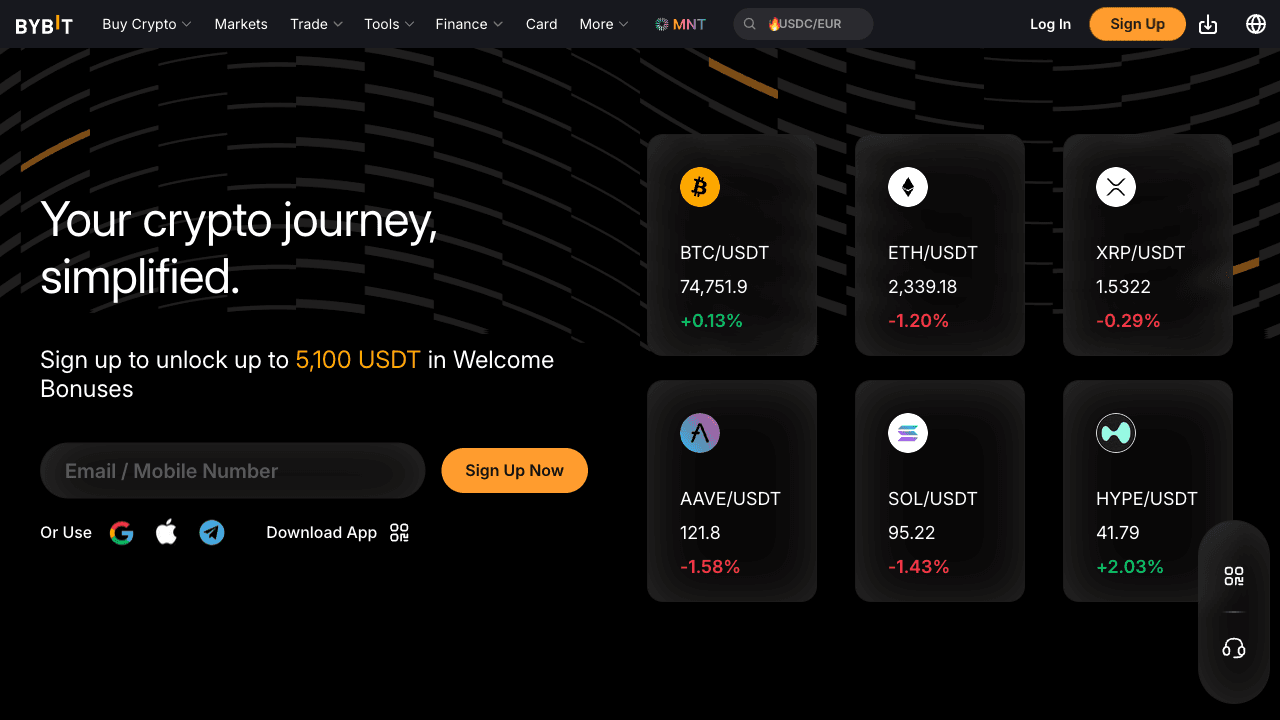
The most important rule when depositing crypto to Bybit is to match the network exactly. If you send TON, use the TON deposit address. If you send USDT, choose the same network on both platforms. A wrong network can make funds hard or impossible to recover.
AVANTAGES
- Zero Bybit deposit fees for all crypto
- TON deposits arrive in 1–3 minutes
- 300+ supported coins and tokens
- Multiple fiat deposit methods for new users
INCONVÉNIENTS
- Wrong network = funds potentially lost — must double-check
- Minimum deposit amounts vary by coin
- Full withdrawal access requires KYC verification
Before You Send — 5-Step Safety Checklist
1. Match the network: the network you select in your sending wallet must match the network shown on Bybit's deposit address. TON → TON network. USDT from Trust Wallet → check which chain (TRC20, ERC20, etc.). Wrong network = funds lost or stuck.
2. Copy the address, do not type it: always copy the Bybit deposit address directly from the screen. Never type it manually. One wrong character means the funds go to an unknown address.
3. Send a test amount first: if you are depositing for the first time or sending more than $200, send 1 TON (or a small USDT amount) first. Wait for it to arrive. Then send the rest.
4. Check minimum deposit: Bybit has minimum deposit amounts (1 TON, 5 USDT). Sending less than the minimum results in the deposit not being credited.
5. No memo required for TON: TON deposits on Bybit do not need a memo/tag. Other coins (XRP, ATOM, EOS) DO require a memo — failing to include it means your deposit goes to Bybit's general pool and requires manual recovery support.
The #1 Rule: Network Must Match on Both Sides
The most common — and most expensive — mistake new crypto users make is sending funds on the wrong network. Here's why it matters: USDT exists on multiple blockchains simultaneously. Bybit's USDT-TRC20 deposit address (Tron network) and USDT-ERC20 deposit address (Ethereum network) are completely different addresses, each valid only for their respective network. If you send USDT from a Tron-based wallet to an Ethereum address, the funds do not arrive — they end up in a blockchain address that Bybit doesn't control.
The rule is simple: whatever network you select on Bybit's deposit page, you must select the same network when sending from your external wallet. Before confirming any transaction, pause and verify: (1) What network does Bybit show? (2) What network am I sending from? They must match exactly. TON deposits are simpler — there's only one TON network, so there's no confusion. For USDT, always default to TRC20 (Tron) — it's the cheapest to send ($1–3 fee) and Bybit supports it fully.
What happens if you send on the wrong network? The funds typically go to an address that exists on the wrong blockchain. Recovery is possible if Bybit controls the corresponding address on that network, but it requires a manual support request, takes days to weeks, and usually involves a recovery fee. It's recoverable in most cases — but avoid it entirely by checking networks before sending.
Depositing TON to Bybit: The Complete Process
TON is the simplest crypto to deposit on Bybit because there's only one TON network — no multi-network confusion. In Bybit's deposit page, search for 'TON', select it, and the 'TON' network will be auto-selected (it's the only option). Copy your Bybit TON deposit address — it's a long string that starts with a combination of letters and numbers, similar to other blockchain addresses.
From Tonkeeper: tap Send → paste the Bybit address → enter the amount → confirm. Important: TON deposits on Bybit do NOT require a memo or tag. Some blockchains (like Stellar/XLM, Ripple/XRP, or BNB Chain) require a memo for exchange deposits — failing to include it routes funds to the wrong account. TON doesn't have this requirement: address alone is sufficient.
Expected timeline: after you confirm the send in Tonkeeper, TON typically appears in your Bybit spot wallet within 1–3 minutes. During rare TON network congestion, up to 10 minutes. Track the deposit status in Bybit → Assets → Deposit History, which shows pending and confirmed deposits in real-time with transaction hash links you can verify on TonViewer.
Depositing USDT: Choosing the Right Network
USDT exists on five major blockchains, each with different speed and cost trade-offs. TRC20 (Tron) is the default recommendation for most users: sending costs $1–3 in Tron fees, arrives in 1–3 minutes, and Bybit supports it fully. BEP20 (BNB Chain) is slightly cheaper (~$0.50–1) if you're moving USDT from a Binance or BNB Chain wallet. ERC20 (Ethereum) is the most expensive — Ethereum gas fees can run $3–30 depending on network congestion, making it impractical for USDT transfers under $500. Solana USDT has essentially zero network fees (under $0.01) and 30-second confirmation — the best choice if your USDT is already on Solana.
The iron rule: whatever network you select on Bybit's deposit page, you must send from the same network version of USDT. TRC20 deposit address ≠ ERC20 deposit address ≠ BEP20 deposit address. They're different blockchains with different address formats. Trust Wallet and Tonkeeper both let you choose which network to send from — always verify before confirming.
TON-chain USDT: if you have jUSDT on the TON blockchain (from a DeDust or STON.fi swap), Bybit supports TON-chain USDT deposits. Select USDT → choose 'TON' network in Bybit's deposit page. The TON-chain USDT network fee is under $0.01. This matters for TON DeFi users who want to move TON-earned USDT back to Bybit without a bridging step.
Fiat Deposits: Buying Directly on Bybit Without Existing Crypto
If you don't yet own any crypto, Bybit's Buy Crypto section lets you purchase directly with a card or bank transfer. Credit/debit card purchases (Visa, Mastercard, JCB, Google Pay) are processed by third-party providers: MoonPay charges 1% for bank transfers or 4.5% for Visa card; Banxa and Mercuryo have similar structures. EU cards typically pay 1.2–1.6% above mid-market rate all-in; non-EU cards pay 2.8–3.2%. Note: Apple Pay is not available on iOS Bybit, and Google Pay is unavailable in Switzerland, Estonia, and Norway.
For European users, SEPA bank transfer is the most cost-effective fiat deposit method — €0–2 flat fee from Bybit's side, 1–3 business days (SEPA Instant is same-day if your bank supports it). Once EUR arrives, buy TON or USDT on the spot market at 0.1% trading fee. This is far cheaper than card purchases for amounts over €200.
P2P buying is another fiat on-ramp with zero Bybit platform fees. In Bybit's P2P section, buy USDT directly from other users who accept your local bank transfer, Revolut, BLIK, or other payment methods. The spread in offers is typically 1–3% above market rate — still cheaper than card fees for larger amounts. For countries not covered by card processors, P2P is often the only fiat on-ramp available.
What a $100 Deposit Actually Costs in 2026
Numbers nobody puts in one place: sending $100 of TON to Bybit costs about 0.05 TON in network fees (~$0.15) and lands in 1–2 minutes. USDT on TRC-20 costs ~1 USDT flat and takes 2–5 minutes. The same USDT on ERC-20 can cost $2–10 depending on Ethereum congestion — never use ERC-20 for amounts under $500.
Buying directly on Bybit instead of depositing: card purchases add 2–3.5% in provider markup ($2–3.50 lost per $100), while P2P has zero platform fee but a 0.5–1% spread baked into merchant prices ($0.50–1 per $100). Ranked by total cost for $100: TON transfer ($0.15) < P2P spread (~$0.75) < TRC-20 USDT ($1) < card (~$3).
The expensive mistake is not fees — it's the wrong-network deposit. Recovering tokens sent on an unsupported network requires a support ticket, takes 2–6 weeks when possible at all, and Bybit charges a recovery fee that often exceeds $50. One double-check of the network dropdown is worth more than any fee optimization.
Checking Deposit Status and Troubleshooting
After sending crypto to Bybit, track the deposit status in Bybit → Assets → Deposit History. Each deposit shows: status (Pending/Completed), the transaction hash (a unique ID for the blockchain transaction), the amount, and the estimated confirmation time. If the deposit shows 'Pending', it means the blockchain transaction is confirmed but Bybit requires more block confirmations before crediting your account — this is normal for Bitcoin deposits especially.
If a deposit doesn't appear after 30 minutes, first verify it on the blockchain. For TON deposits, paste your transaction hash into tonviewer.com to confirm it was broadcast correctly. For USDT-TRC20, use tronscan.org. If the blockchain shows the transaction confirmed and sent to the correct address, but Bybit still doesn't show it, open a Bybit support ticket with the transaction hash — they can locate and manually credit confirmed deposits.
The most common reason deposits don't arrive: wrong network selected (funds went to the right address format but wrong blockchain), or minimum deposit not met. Critical warning: deposits below the minimum threshold are NOT credited to your account AND are NOT automatically refunded. They require a manual recovery request to Bybit support with proof of transaction, and outcome is not guaranteed for amounts significantly below the minimum. For USDT-TRC20, the minimum is 5 USDT — sending 3 USDT will not credit and may not return. Double-checking the network and minimum before sending prevents almost all deposit issues.
Quick Comparison
| Feature | TON | USDT-TRC20 | USDT-BEP20 | USDT-ERC20 | USDT-SOL |
|---|---|---|---|---|---|
| Blockchain | TON | Tron | BNB Chain | Ethereum | Solana |
| Deposit fee (Bybit) | Free | Free | Free | Free | Free |
| Sending fee from wallet | < $0.01 | ~$1–3 | ~$0.50–1 | $3–30 (gas) | < $0.01 |
| Confirmation time | 1–3 min | 1–3 min | 1–3 min | 5–20 min | ~30 sec |
| Memo required | ❌ No | ❌ No | ❌ No | ❌ No | ❌ No |
| Minimum deposit | 1 TON | 5 USDT | 5 USDT | 10 USDT | 5 USDT |
| Best use case | TON ecosystem, Stars | Default choice | Binance/BSC users | ETH wallet users | Solana wallet users |
Instructions étape par étape
Frequently Asked Questions
Are there deposit fees on Bybit?
Zero. Bybit charges no fees for any crypto deposit. The only cost is the blockchain network fee, which you pay from your sending wallet. For TON, this is under $0.01. For USDT-TRC20, it's $1–3. For USDT-ERC20, it varies from $5–50 depending on Ethereum gas prices.
What is the minimum deposit on Bybit?
Minimums vary by coin and network. For TON: minimum 1 TON. For USDT-TRC20: minimum 5 USDT. For USDT-ERC20: minimum 10–20 USDT. For BTC: minimum 0.0005 BTC. Deposits below the minimum are either rejected (returned after a few days) or require a manual recovery fee.
Does depositing TON on Bybit require a memo?
No. TON deposits on Bybit require only the wallet address — no memo, tag, or additional field. This is unlike some networks (XRP, XLM, BNB Chain) where a memo is mandatory. Just copy the TON deposit address and send directly from Tonkeeper or Telegram Wallet.
Can I deposit from Telegram Wallet directly to Bybit?
Yes. From Telegram Wallet: tap Send → TON → paste your Bybit TON deposit address → enter amount → confirm. This works identically to any TON transfer. Funds typically arrive in 1–3 minutes.
What if I sent to the wrong network?
Don't panic — most wrong-network deposits are recoverable. Contact Bybit support via live chat with your transaction hash, the amount sent, the network you sent on, and the network you intended. Bybit has a recovery process for cross-network deposits, though it takes 3–7 business days and may involve a small fee.
How do I find my Bybit deposit address for TON specifically?
Log in to Bybit → Assets → Deposit → search 'TON' → select 'TON' as coin → the 'TON' network auto-selects → your TON deposit address appears. Copy it exactly (or scan the QR). This address is permanent — you can save it for future deposits.
Related Guides
Bybit P2P Guide: Cash Out USDT to Bank with Zero Platform Fees
Use Bybit P2P to sell USDT for local currency. Learn merchant selection, escrow, payment proof, scam avoidance, and safe release steps.
Bybit KYC Verification: Documents, Time and Limits in 2026
Complete Bybit KYC step by step. See required documents, approval time, withdrawal limits, common rejection reasons, and safety tips.
How to Buy GRAM on Bybit: GRAM/USDT Spot Guide (ex-TON)
Buy GRAM (formerly Toncoin) on Bybit spot via the GRAM/USDT pair — live since June 22, 2026. Market vs limit orders, fees, withdrawal to Tonkeeper.
Get Weekly Stars & TON Updates
Market analysis, new guides, and earning tips — free, every week.
No spam. Unsubscribe anytime.
Calculez votre profit potentiel
Si vous achetez des Stars pour monétiser votre chaîne, vérifiez exactement combien vous pouvez gagner.