

What Is BridgeMind? Honest Review 2026
Опубликовано · Обновлено · Как мы проверяем
BridgeMind is a desktop app for Mac, Windows and Linux that its maker calls the Agent Super App: AI agents on routines, a workspace for vibe coding, and coding threads you read instead of watch. You describe the work and the agents write it — Claude Code, Codex, Cursor Agent, Gemini CLI, GitHub Copilot or Grok Build, run inside BridgeMind on your own AI subscription or API key. There are three plans — Basic at $16/month on annual billing ($20 monthly), Pro at $40 ($50), Ultra at $80 ($100) — with no free tier and a 7-day money-back guarantee on Pro; promo code STARSEARN takes 20% off the first three months. The founder, Matthew Miller, is building BridgeMind to $1M ARR live on YouTube: $201,192 verified at day 185. Verdict: the strongest option for non-coders and solo founders shipping a real product, and the wrong tool if you just want smarter autocomplete in your IDE. Pricing, plans and BridgeMind's weak spots follow below.
Buy it if
- You're a non-coder or founder who wants a real, deployed product
- You can describe features precisely, like briefing a contractor
- You want agents on routines rather than a chat window you have to babysit
- Public revenue proof matters more to you than marketing claims
Skip it if
- You're an engineer who just wants smarter autocomplete (get Cursor)
- You maintain large legacy enterprise codebases
- You only need a pretty front-end demo (Lovable's free tier is gentler)
- You expect good output from one-line vague prompts
What Is BridgeMind, Exactly?
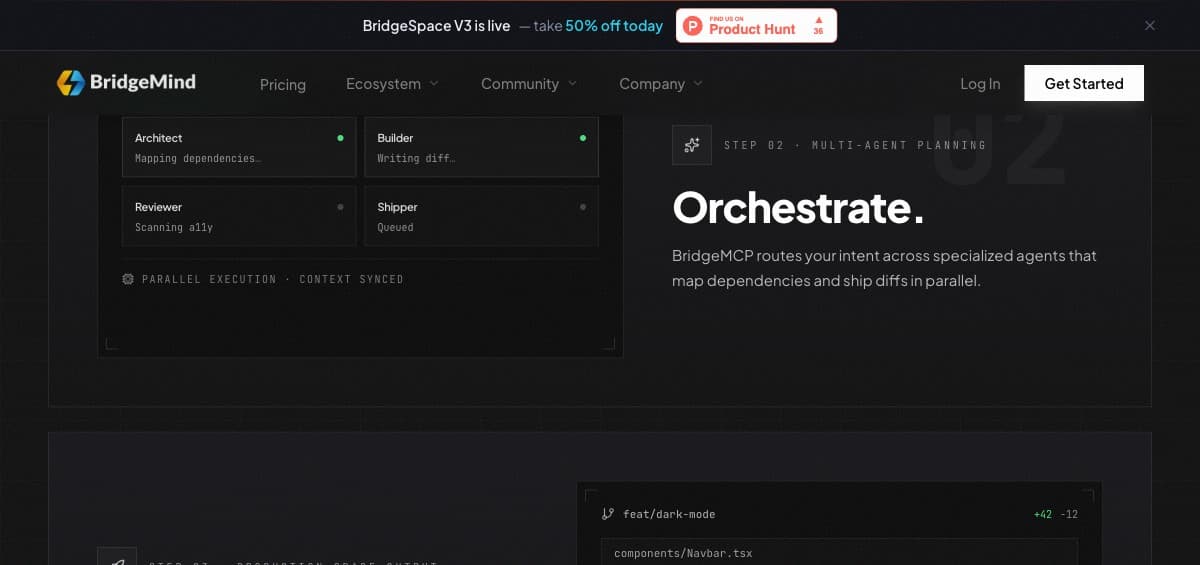
BridgeMind is an AI development platform built around agents instead of autocomplete. In a tool like Cursor, AI accelerates a programmer who is already writing code. In BridgeMind, the agents are the programmer: you describe the product, they break it into tasks, write the code, run it in a cloud sandbox, fix their own errors, and deploy. The human's job shifts from typing syntax to directing — what the industry now calls vibe coding.
What is BridgeSpace? It is the ADE — the Agentic Development Environment — and it is the part of BridgeMind you actually work in. Think of it as an IDE built for directing agents rather than typing code: you prompt, the agents plan and build, and you watch the work happen in a split grid. Today it ships as BridgeMind's native desktop app for Mac, Windows and Linux — one installer, no dev environment to configure — and every plan includes it. If you have seen the name BridgeSpace on its own and wondered whether it is a separate product, it is not.
Every plan runs the same app — agents on routines, a workspace for vibe coding, and coding threads you read rather than watch — on the AI subscription you already pay for (Claude, ChatGPT/Codex or SuperGrok) or an API key. Pro adds BridgeVoice, which turns speech into text so you can direct agents by talking — it sounds like a gimmick until you are describing a bug while looking at it — and BridgeVerse, a 3D campus with a room for each workspace and a desk for each agent. Ultra is Pro with four times the credits.
BridgeMind Pricing in 2026: What Each Plan Actually Buys
Basic costs $16/month on annual billing ($192 up front) or $20 month-to-month and runs the app with 5,000 credits a month. Pro — $40/month annual ($480) or $50 monthly — adds BridgeVoice and BridgeVerse with 12,500 credits. Ultra is Pro with 50,000 credits for $80/month annual or $100 monthly.
The tiers differ in credits and in the voice features that start at Pro; the app itself — agents on routines, the vibe-coding workspace, coding threads, and the AI you bring — is the same on all three.
One thing worth knowing before you click: BridgeMind has no free tier. What replaces the free trial is the 7-day money-back guarantee on your first Pro purchase — you pay first, build something real inside the week, and get refunded if it isn't for you. Annual billing is where the 20% discount lives, but month-to-month is the honest way to test without locking a year in.
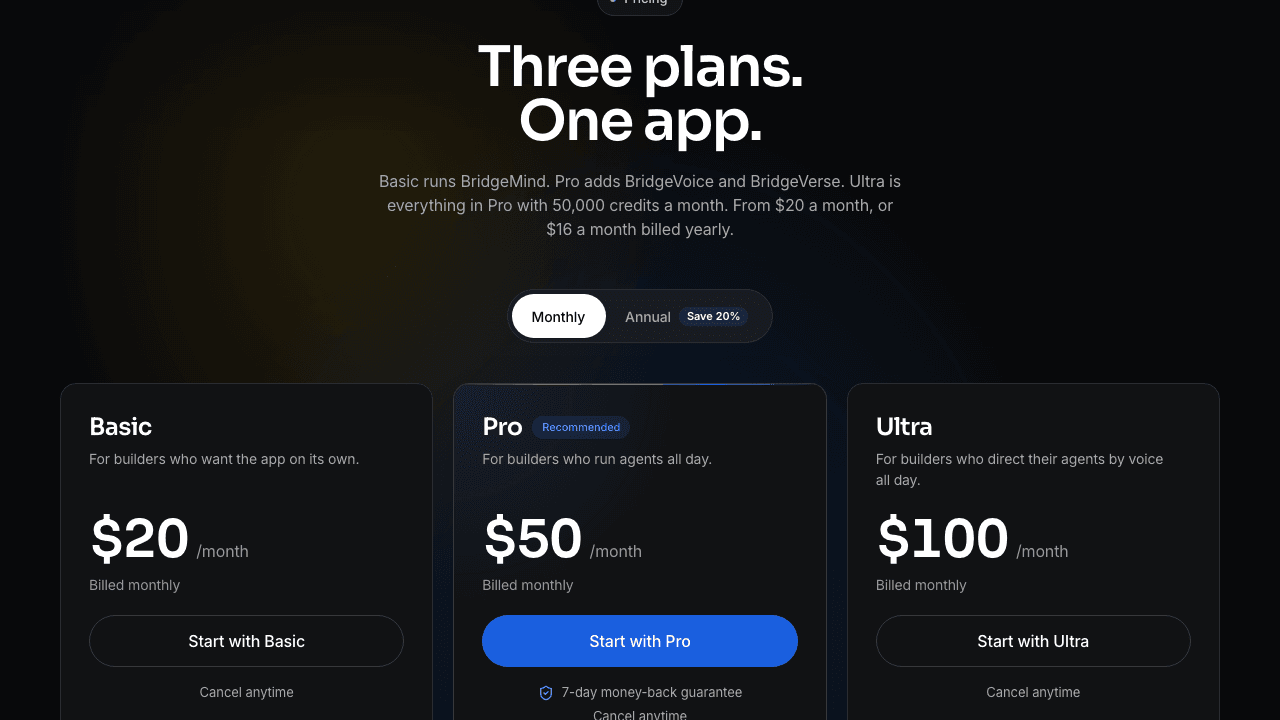
Basic
$16/mo
$20 month-to-month
5,000 credits/mo
- BridgeMind desktop app — agents, code, threads
- Agents on routines
- Bring your own AI: Claude, ChatGPT/Codex, SuperGrok or an API key
- Cancel anytime
Best for: Builders who want the app on its own
Pro
$40/mo
$50 month-to-month
12,500 credits/mo
- Everything in Basic
- BridgeVoice — voice to text
- BridgeVerse — your agents in 3D
- 7-day money-back guarantee
Best for: Builders who run agents all day
Ultra
$80/mo
$100 month-to-month
50,000 credits/mo
- Everything in Pro
- 4× Pro's credits
- Cancel anytime
Best for: Directing agents by voice all day
Real Results: The $1M ARR Challenge Numbers
The strongest evidence for BridgeMind isn't its feature list — it's that the founder is building a software business with his own product, in public, with the revenue dashboard on camera. The challenge: $0 to $1M ARR using BridgeMind agents, documented on a YouTube channel with 75K+ subscribers. At day 185 the verified figure was $201K ARR, run by one person with zero employees.
Why this matters for a buyer: most AI coding tools demo well on toy projects and fall apart on real ones. A founder whose income depends on his own agents shipping production software is the opposite of a cherry-picked demo. The challenge content also doubles as the best BridgeMind tutorial available — you watch real features get built, including the failures.

What BridgeMind Is Not Good At
An honest review needs the failure modes. First: garbage in, garbage out. Agents execute what you describe — a vague prompt like 'make a social app' produces a generic, buggy skeleton. Users who get value write briefs the way they'd brief a freelancer: specific features, specific behavior, specific edge cases.
Second: it's optimized for building new things, not maintaining old ones. If your goal is navigating a 500K-line legacy enterprise codebase, an IDE-native tool like Cursor fits better. Third: the credit model means a heavy builder on Basic can run dry before month-end — budget for Pro if BridgeMind becomes your daily driver. And the community is younger than Cursor's or Replit's, so when you hit an obscure problem, you'll lean on official support rather than a decade of Stack Overflow threads.
Verdict: Who Should Buy, Who Should Skip
Buy it if: you're a non-coder or early-stage founder who wants a real, deployed product — not a prototype — and you're willing to learn to write precise briefs. With a 7-day money-back guarantee, one week of honest use costs you nothing if you walk away, and the founder's public revenue numbers are the kind of proof no competitor currently offers.
Skip it if: you're a professional engineer happy in your IDE who wants faster code completion (get Cursor), you only need a pretty front-end demo (Lovable's free tier is gentler), or your work is maintaining large existing systems. BridgeMind wins one specific game — turning a person with product ideas into someone who ships software — and that's the game to judge it on.
The cons, in one place
- Credit-based usage — heavy daily builders can hit monthly limits on Basic
- Smaller community than Cursor or Replit, so fewer tutorials when stuck
- Vague prompts still produce buggy output — you must describe features precisely
- Not built for editing large existing enterprise codebases
Risk-free week on Pro
20% off your first 3 months.
Pro is refunded in full if it isn't for you.
See BridgeMind PricingCode STARSEARN · 7-day money-back on ProFrequently Asked Questions
Is BridgeMind legit?
Yes. The founder builds his own software business with it live on YouTube (75K+ subscribers), with verifiable revenue — $201K ARR at day 185 of his public $1M challenge. There is a public Discord with 13,200+ builders, and Pro carries a 7-day money-back guarantee.
How much does BridgeMind cost?
Three plans: Basic $16/month on annual billing or $20 monthly (5,000 credits), Pro $40 or $50 (12,500 credits plus BridgeVoice and BridgeVerse), Ultra $80 or $100 (50,000 credits). All run on your own AI subscription or API key. Code STARSEARN takes 20% off every payment for your first three months. Plans cancel anytime, Pro carries a 7-day money-back guarantee, and there is no free tier.
Is there a BridgeMind free trial?
No. BridgeMind has no free tier or free trial — plans start at $16/month on annual billing or $20 month-to-month. What it offers instead is a 7-day money-back guarantee on your first Pro purchase: you pay, build something real inside the week, and request a refund if it isn't for you. If you want to test without committing to a year, start month-to-month rather than annual.
What does BridgeMind do?
BridgeMind turns a plain-language brief into working, deployed software. You describe the product; autonomous agents plan the tasks, write the code, run it, fix their own errors, and ship it. You review outcomes rather than syntax. Everything happens in BridgeMind's desktop app for Mac, Windows and Linux, running on the AI subscription you already pay for.
What is BridgeSpace?
The name is gone from bridgemind.ai: the desktop app is simply BridgeMind, which the company calls the Agent Super App, with Agent, Code and Thread modes. Earlier material used BridgeSpace for its agent workspace — the place where you prompt agents and watch them plan, write and run code. Every plan includes the app.
What is BridgeBench?
BridgeBench is BridgeMind's AI coding benchmark at bridgebench.ai: leaderboards that rank models on UI generation, security, refactoring, hallucination, debugging, speed and cost. It is free to read and doesn't need a BridgeMind subscription — a useful check before you trust any vendor's own model claims.
Who is behind BridgeMind, and is the revenue real?
Founder Matthew Miller builds the business publicly on YouTube (75K+ subscribers), posting the numbers as he goes — $201,192 ARR at day 185 of his $1M challenge. That is unusually verifiable for this category: most AI-tool vendors publish neither revenue nor process. There is also a public Discord with 13,200+ builders, so the community size can be checked independently rather than taken on trust.
Is BridgeSpace the same as BridgeMind?
Yes, in practice. BridgeSpace was the name for the agent workspace; today bridgemind.ai calls the whole desktop app BridgeMind. Every plan includes the app; Pro adds BridgeVoice and BridgeVerse.
Do I need to know how to code to use BridgeMind?
No. The agents handle code, syntax, and debugging. What you do need is the ability to describe features precisely — users who treat prompts like a contractor brief get dramatically better results than users who write one-line wishes.
BridgeMind vs Cursor — which should I pick?
Different tools for different people. Cursor makes an existing programmer faster inside their IDE. BridgeMind replaces the programmer role with agents, which suits non-coders and founders shipping new products. If you've never written code, Cursor will frustrate you; if you live in an IDE, BridgeMind's agent loop may feel indirect.
Is BridgeMind a scam?
No, and it is unusually checkable for this category. The founder posts revenue publicly on a YouTube channel with 75K+ subscribers, including Stripe screenshots — $201,192 ARR at day 185 of his $1M challenge. There is a public Discord with 13,200+ builders and a 7-day money-back guarantee on Pro. The fair criticism is not that it is fake, it is that it is small and young compared with Cursor or Replit.
Is BridgeMind good?
It is the strongest option in its niche — non-coders and solo founders who want a finished product rather than faster typing. It is the wrong tool if you are an experienced engineer wanting smarter autocomplete in your existing IDE, or if you need to work inside a large legacy codebase. Judge it on Pro inside the 7-day refund window, on one real project.
Is BridgeMind legit and safe to pay for?
Yes. Payment goes through standard billing, every plan cancels anytime, and Pro's 7-day money-back guarantee is the practical protection — you can pay for Pro month-to-month, build something real inside the week, and get refunded if it does not suit you. The thing to avoid is committing to annual billing before you have tested the workflow.
What are people's biggest complaints about BridgeMind?
Three recur. Credit limits on the Basic tier bite if you build daily. The community is smaller than Cursor's or Replit's, so there are fewer tutorials when you get stuck. And vague prompts still produce buggy output — the tool amplifies how precisely you can describe things, which some people experience as the tool being unreliable.
Where are BridgeMind's Discord, GitHub, YouTube and X?
The official links from bridgemind.ai: Discord at discord.gg/bridgemind, GitHub at github.com/bridge-mind (open-source projects such as BridgeClip, an AI video-clipping app, and skills for coding agents), YouTube at youtube.com/@bridgemindai, where the founder builds in public, and X at x.com/bridgemindai.
What is BridgeVoice?
BridgeVoice lets you direct the agents by speaking instead of typing. It sounds like a gimmick until you are describing a bug while looking at it, which is the case it is actually good for. Included from the Pro tier upward.
Does BridgeMind have an app?
Yes — BridgeMind is a native desktop app for Mac (macOS 14 or later, Apple silicon and Intel), Windows 10 or 11 and Linux. You install it once and connect your Claude, ChatGPT/Codex or SuperGrok subscription, or an API key.
How many credits do I actually need?
Basic's 5,000 monthly credits comfortably cover building and iterating one real project a month, which is where most first-time users land without running out. Pro's 12,500 is the tier for shipping client work or running a live product. If you are unsure, start on Basic month-to-month — hitting the limit is a clearer signal to upgrade than guessing upward.
Who is Matthew Miller?
Matthew Miller is the founder and CEO of BridgeMind. He is unusual among AI-tool founders in building the business publicly: daily updates on YouTube to 75K+ subscribers, with the revenue dashboard on camera as he works toward $1M ARR using his own product.
How much revenue does BridgeMind make?
The publicly documented figure is $201,192 ARR at day 185 of the founder's live $1M challenge, posted with verifiable Stripe screenshots rather than claimed in a blog post. Run by one person with zero employees. Treat the current number as higher than that snapshot — the challenge is ongoing and updated daily.
Is the BridgeMind revenue real or marketing?
It is about as verifiable as this category gets. The numbers appear on camera in daily videos, the Discord community size can be checked independently, and the challenge has run long enough that fabrication would have unravelled. Most competitors publish neither revenue nor process, so the comparison is not close.
How do I get started with BridgeMind?
Pick a plan month-to-month — Pro if you want the 7-day refund window, Basic for the lowest price — describe one small complete project in plain language (a landing page, a calculator, a Telegram bot) and watch the agents build it in the app. Request changes the way you would brief a contractor, and judge the whole thing on one real project rather than reading more reviews.
What should my first BridgeMind prompt look like?
Like a brief, not a wish. Name the screens, the data you store, and what should happen when something fails. 'Build me an app' produces guesswork; 'a page where users enter an amount, it converts to USD at a live rate, and shows an error if the API is down' produces working code. Precision in the prompt is the single biggest lever on output quality.
Is there a BridgeMind discount or promo code?
The standing discount is code STARSEARN, which takes 20% off every payment for your first three months. Annual billing separately drops the $50 monthly price to $40. There is no other coupon system to hunt for. Given how fast this category changes, the month-to-month price is often the smarter deal even without the discount.
Can BridgeMind build a Telegram bot or mini app?
Yes, and it is a good fit for it: a Telegram bot is a small, well-defined project of exactly the kind agents handle well, including Stars payments and a Postgres database. The two places to read the code yourself before going live are the payment handling and whatever decides who gets access after paying.
Related Guides
BridgeMind Alternatives in 2026: Which AI Coding Tool Actually Fits You?
Not a list. A real comparison table + 3-question quiz that tells you which tool to use based on what you're building and how much you know about code.
Cursor Alternatives in 2026: 5 Tools Compared by Who Should Switch
Cursor's $20 credit pool runs out, teams pay $20 a seat, and you're locked into a VS Code fork. Five real alternatives compared on price, limits, and who each one actually suits.
BridgeMind vs Cursor 2026: Which One to Pick (Prices Compared)
BridgeMind is a desktop app that runs AI coding agents for you; Cursor is an AI code editor. Prices checked, who each fits, and when to use both.