
BridgeMind vs Cursor 2026: Which One to Pick (Prices Compared)
BridgeMind is a desktop app that runs AI coding agents for you; Cursor is an AI code editor. Prices checked, who each fits, and when to use both.
Published · Updated · How we check
BridgeMind and Cursor do different jobs. Cursor is an AI code editor: you work inside your own codebase and its agent helps you write and change code — the right tool if you can read and judge code. BridgeMind is a desktop app its maker calls the Agent Super App: you describe the work and coding agents — Claude Code, Codex, Cursor Agent, Gemini CLI and others — run inside it on your own AI subscription or API key. On price they are close: Cursor has a free Hobby plan and Pro at $20 a month; BridgeMind has no free tier and starts at $16 a month on annual billing ($20 monthly), plus the AI plan it runs on, with a 7-day money-back guarantee on Pro. Pick Cursor if you write code most days; pick BridgeMind if you want a finished product and can't review code line by line. We haven't timed the two against each other — this page compares what each company publishes, checked in October 2026.
What would your app cost to build with AI?
≈ $42/mo with BridgeMind
vs $10,000–$50,000 to hire a freelancer for the same MVP
PROS
- BridgeMind: agents do the writing and you review the result — no need to read code line by line
- BridgeMind runs the coding agents you may already pay for, Cursor Agent among them
- From $16/month, with a 7-day money-back guarantee on Pro
CONS
- No free tier — Cursor's Hobby plan lets you try before you pay
- Less fine-grained control than editing your own repo in Cursor
- You pay for the AI subscription it runs on as well
Two different jobs: an editor and an agent app
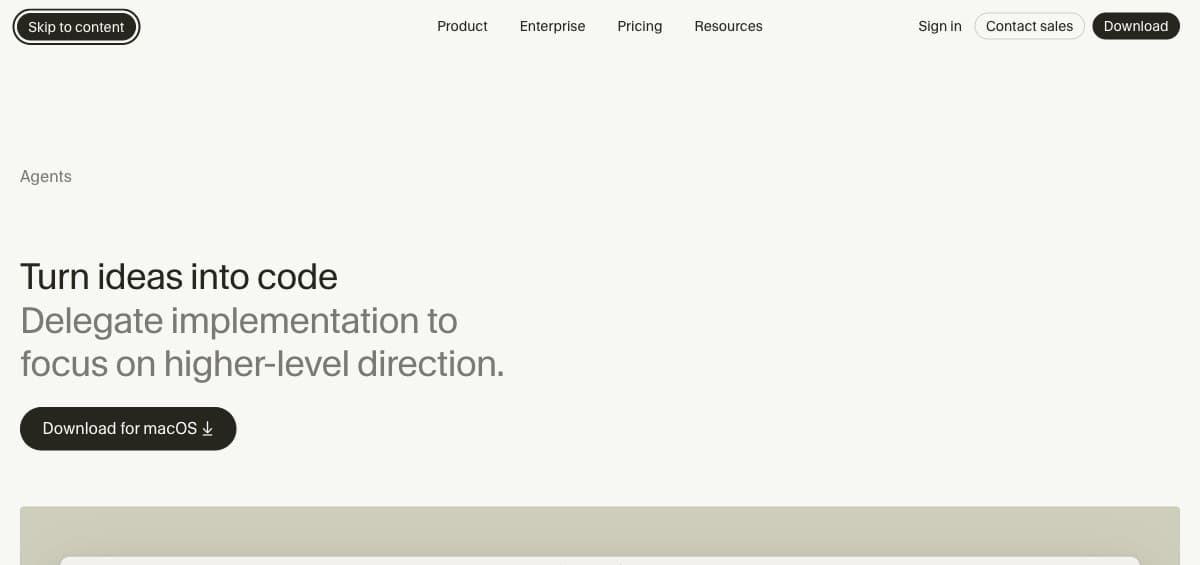
Cursor is a code editor with AI built in. Its agent can write and change code across your project, but you stay the one steering: you read what it proposes, accept or reject it, and run the result in your own toolchain. That is a speed-up for people who already code.
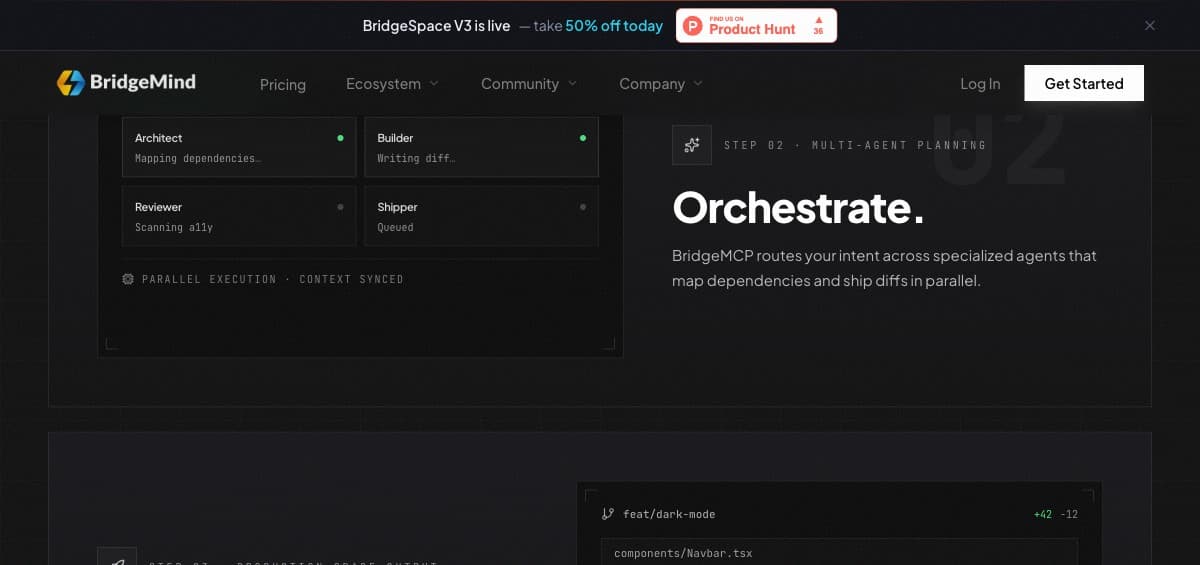
BridgeMind starts from the result instead. You describe the work, and coding agents — Claude Code, Codex, Cursor Agent, Gemini CLI, GitHub Copilot or Grok Build — run it inside the BridgeMind desktop app on your own AI subscription or API key. You review what they produce rather than every line.
What each costs
Cursor: a free Hobby plan, Pro at $20 a month and Teams at $40 per user (cursor.com/pricing, checked 08.10.2026). Model usage is included up to each plan's credit pool.
BridgeMind: Basic $16, Pro $40 and Ultra $80 a month on annual billing ($20, $50 and $100 month-to-month), no free tier, a 7-day money-back guarantee on Pro (bridgemind.ai/pricing, checked 08.10.2026). On top of that you pay for the AI plan its agents run on, typically around $20 a month.
Why this page has no timed test
An earlier version of this page described a timed head-to-head build with round-by-round scores. We could not back those numbers with a recorded run, so on 17 October 2026 we removed them and kept only what each company publishes and what we checked ourselves. If we run a real side-by-side build, we will publish the recording and the code with it.
Quick Comparison
| Tool | Best for | From | Who writes the code | Skill required |
|---|---|---|---|---|
| BridgeMind | Non-devs shipping a complete, deployed product | From $16/mo annual ($20 monthly) · Pro $40/$50 · no free tier | Agents plan, write, run and deploy it | None — precise briefs, not syntax |
| Cursor | Developers working inside an existing codebase | Free (Hobby) / $20 Pro / $40 per user Teams | You do — with the best AI assist available | Must already know how to code |

Build with AI agents
🇺🇸 Top pick for US buildersBuild real software by directing AI agents — no manual coding.
BridgeMind is the vibe coding platform solo founders use to ship apps in days instead of months. Most crypto exchanges (like Bybit) aren't available in the US — but building your own app has no such limit.
Step-by-Step Instructions
Frequently Asked Questions
Which is better for non-developers?
BridgeMind — by a wide margin. You describe what you want, agents build it. Cursor still requires you to write and review code yourself.
Which is better for experienced developers?
Cursor. If you know what you're doing, full code control is more powerful than agent autonomy. Cursor's editor experience is also excellent.
Can I use BridgeMind if I've never coded before?
Yes — that's who it is built for: you describe the result and the agents write the code. Its founder, Matthew Miller, is building BridgeMind itself towards $1M ARR live on YouTube — $201,192 at day 185.
BridgeMind or Cursor — which should I actually pick?
If you write code most days, Cursor: it makes you faster inside a codebase you already understand. If your goal is a finished product and you cannot review code line by line, BridgeMind: its agents deliver a running result rather than faster typing. The question is not which is better but which role you are playing.
Can Cursor do everything BridgeMind does?
Not in the same way. Cursor's agent works inside your editor while you steer and review. BridgeMind is built around agents running whole tasks from a brief — and it can run Cursor Agent as one of them. Conversely, BridgeMind doesn't give you the fine-grained control of editing in your own repo with your own toolchain.
Which is better for a complete beginner?
BridgeMind, clearly. Cursor assumes you can read and judge what it writes, and a beginner who cannot ends up accepting suggestions blindly — which is worse than not using it. An agent platform lets you work in outcomes, which is the only level a beginner can meaningfully review at.
Which one is cheaper?
Cursor Pro is $20/month with a free tier. BridgeMind starts at $16/month on annual billing ($20 monthly) with no free tier, and it runs on your own AI subscription on top. On price alone they're close; the free tier matters more, because it lets you test Cursor before paying anything — BridgeMind's equivalent is the 7-day money-back guarantee on Pro.
Can I use both at the same time?
Yes, and it is a reasonable setup once you are past the beginner stage: BridgeMind to build the thing, Cursor to make small edits afterwards without waiting on an agent loop. Just be honest about whether you use both enough to justify two subscriptions.
Is Cursor being replaced by autonomous agents?
Not replaced — the category split in two. Agents took the 'build me this' job; IDE assistants kept the 'help me work faster in code I own' job, which is most professional development. The tools converging on each other's territory is the interesting part to watch, not one killing the other.
Related Guides
Cursor Alternatives in 2026: 5 Tools Compared by Who Should Switch
Cursor's $20 credit pool runs out, teams pay $20 a seat, and you're locked into a VS Code fork. Five real alternatives compared on price, limits, and who each one actually suits.
What Is BridgeMind? 2026 Review: Pricing, Features & Honest Verdict
What BridgeMind does, what its $16–80/mo plans buy and who should skip it. Verdict with the founder's verified $201K ARR — no free tier, 7-day refund on Pro.
BridgeMind Alternatives in 2026: Which AI Coding Tool Actually Fits You?
Not a list. A real comparison table + 3-question quiz that tells you which tool to use based on what you're building and how much you know about code.
Get Weekly Stars & TON Updates
Market analysis, new guides, and earning tips — free, every week.
No spam. Unsubscribe anytime.
Calculate Your Potential Profit
If you are buying Stars to monetize your channel, check exactly how much you can earn.